Smart Design Starts Here: Vector Infographic Templates
In the world of digital content, attention spans are short, and complex data is everywhere. Whether you are a marketer explaining a sales funnel, a blogger summarizing a tutorial, or a small business owner presenting quarterly results, the challenge remains the same: how do you make information stick? The answer often lies in visual storytelling. You don't need to spend hours wrestling with complex design software to create professional charts and diagrams. Instead, you can leverage high-quality design assets that streamline the creative process.
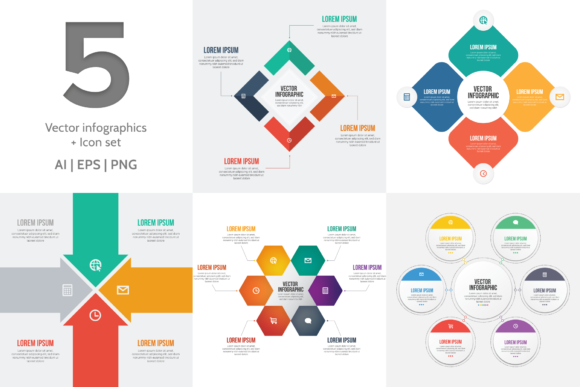
This specific package focuses on efficiency and modern typography. It is a curated set of Vector Infographic Templates and Icons designed to help you visualize data quickly. The collection includes five distinct vector infographic templates provided in both Ai (Adobe Illustrator) and EPS formats. Additionally, you receive these five infographics as high-resolution PNG files and a versatile icon set. One of the standout features of this package is the preparation of the text layers. The fonts have already been converted to curves. This means you can immediately delete the placeholder text and add your own copy without worrying about missing font errors or licensing conflicts for the template itself. However, if you wish to maintain a consistent brand identity or add new text blocks, the presentation utilizes two excellent typefaces: Bebas Neue and Roboto.
The Power of Bebas Neue and Roboto
Understanding the typography included in your design assets is crucial for maintaining a professional look. The combination of Bebas Neue and Roboto is a classic example of effective font pairing. Bebas Neue is a popular display font known for its tall, narrow structure and all-caps aesthetic. It is a sans serif font that commands attention, making it perfect for headers, titles, and large call-out numbers in your infographics. It brings a sense of urgency and importance to the data you are presenting.
Contrasting this is Roboto, a premium font family that serves as the workhorse of the design. As a sans serif font with a friendly and open curve, Roboto is incredibly readable at smaller sizes. This makes it the ideal choice for body text, sub-headers, and data labels within your charts. When you use these vector infographic templates, you are working with a typographic system that balances impact (Bebas Neue) with clarity (Roboto). This balance is essential for good web design and editorial design, ensuring your audience can scan information quickly without feeling overwhelmed.
Practical Applications for Creators and Brands
The versatility of these vector infographic templates makes them suitable for a wide range of projects. For content creators and bloggers, these templates are invaluable for breaking up long blocks of text. A well-placed infographic can increase time-on-page and social shares. You can use the PNG versions for quick drag-and-drop placement in blog posts or social media updates.
For entrepreneurs and marketers, the Ai and EPS files offer the flexibility needed for high-stakes presentations. You can customize the color palette to match your company’s brand identity, ensuring consistency across all your marketing materials. Whether you are creating a pitch deck for investors or a monthly report for clients, these templates provide a structured layout that communicates professionalism. The included icon set is particularly useful here; icons help to visualize concepts that numbers alone cannot, adding context to your data points.
Optimizing Your Workflow
One of the biggest hurdles in design is the "blank canvas" problem. By starting with these templates, you bypass the layout phase and move straight to customization. Because the files are vector-based, they are infinitely scalable. This is vital for print design materials like brochures, posters, or packaging design. You can scale the graphics to fit a billboard or shrink them down for a business card without losing quality.
For hobbyists and crafters, the PNG files offer a great starting point for personal projects. You can incorporate these graphics into school presentations, community newsletters, or personal blogs. The clean, modern typography ensures that even personal projects look polished and put-together. The aesthetic is neutral enough to fit into various themes, from corporate finance to health and wellness, simply by adjusting the colors.
Tips for Customization and Integration
To get the most out of your vector infographic templates, consider a few best practices. First, while the templates come with a specific style, don't be afraid to adjust the hierarchy. If your data emphasizes a specific statistic, make that number larger using Bebas Neue to grab attention. Use Roboto to provide the context below it.
Second, pay attention to color psychology. When editing the files in Adobe Illustrator, ensure the colors you choose align with the mood of your data. For example, blue often conveys trust and stability, making it great for financial infographics, while bright yellows and oranges can convey energy and optimism. Maintaining this visual consistency is key to strong logo design integration and overall brand identity.
Finally, think about the medium. If you are using these for social media graphics, ensure the text remains legible on mobile screens. The clean lines of the sans serif fonts included in this set make them highly legible, but always preview your work on a smaller device before publishing. By treating these templates as a flexible foundation rather than a rigid structure, you can produce endless variations of visual content that engages your audience and strengthens your message.